[ Real Time Translator ]
Twophones.Twolanguages.Oneconversation.
Each person speaks their own language and hears the other in theirs. Connect two Android phones with a 6 digit access code and talk, without an interpreter in the middle.
Version 1.0.2, 34 MB. Android 7.0 or newer. Free, no account needed.
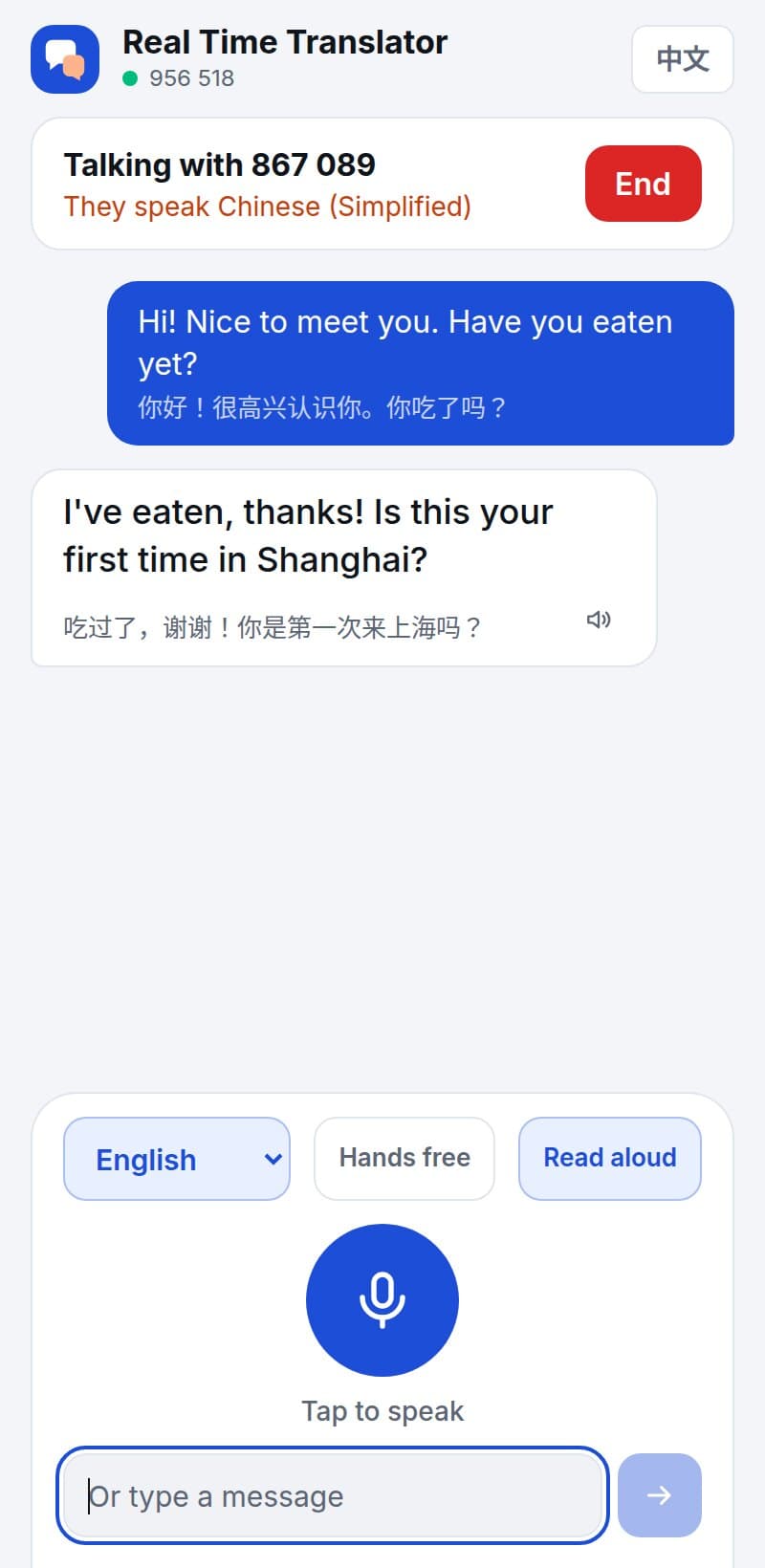
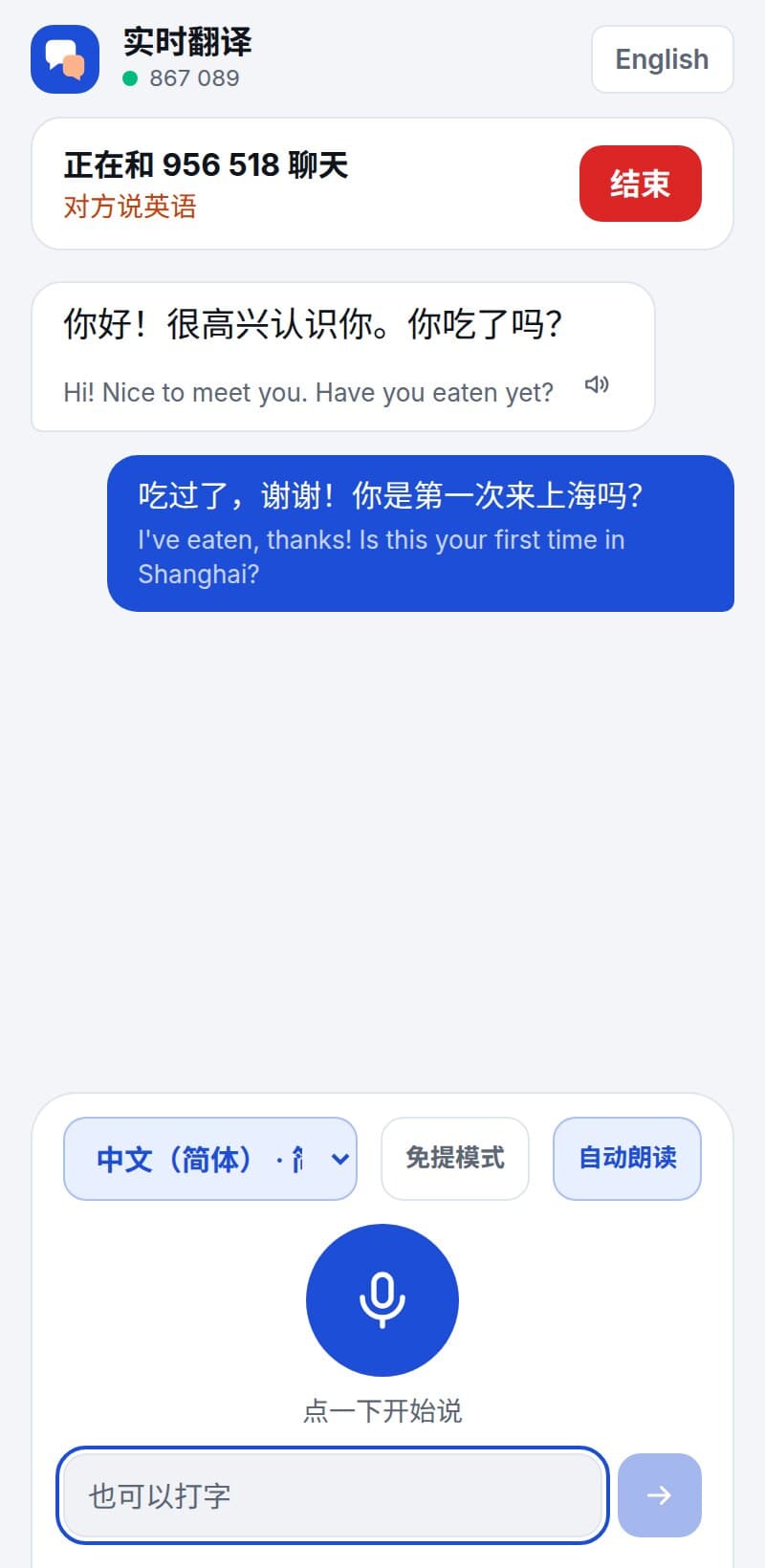
Connected in under a minute
A code, a request, an accept. After that you simply talk.
- 01
Install on both phones
Download the Android app on each phone. Opening it gives every phone its own permanent 6 digit access code.
- 02
Enter their code and press Start
Type the other person's code and press Start. They see your request on their screen and must accept it before anything is connected.
- 03
Each person picks a language
You choose the language you speak and listen in. They choose theirs. The two choices are independent and can be changed at any time.
- 04
Talk naturally
Tap the microphone once and speak. The other phone shows your words and reads them aloud in their language, and their reply comes back in yours.
[ Install ]
Installing the Android app
The app is downloaded from this page rather than from an app store, so Android asks you to confirm the install once.
- 1
On your Android phone, tap Download for Android on this page.
- 2
When the download finishes, open the file. Android asks whether your browser may install apps: choose Settings, turn on Allow from this source, and go back.
- 3
Tap Install, then Open.
- 4
The first time you tap the microphone, allow the app to record audio.
- 5
Repeat on the second phone.
No Android phone to hand? The browser version does the same thing on a computer or an iPhone, and it can connect to a phone that uses the app.
[ Connect ]
Connecting two phones
Both phones need an internet connection. They do not need to be near each other or on the same network.
- 1
Open the app on both phones and keep it on screen. Each phone shows its own access code at the top.
- 2
On your phone, choose the language you speak under I speak and listen in. The other person does the same on theirs.
- 3
Type the other person's 6 digit code into Their access code and press Start.
- 4
The other phone rings and shows your request. They tap Accept.
- 5
Both phones now show the conversation. Tap the microphone once and talk. It keeps listening until you tap it again.
- 6
Either person can press End to close the conversation.
A request can only arrive while the app is open on the receiving phone. Agree a time, or message the other person first, so they have it on screen.
Built for a real conversation
Everything here is in the app today.
Two way voice translation
Both people speak and both people hear. Words appear on the other phone while you are still talking, then the finished sentence is read aloud.
Access codes, not accounts
No sign up, no phone number, no contact list. A phone is reached only by someone who has been given its code.
Nothing connects without consent
Every request has to be accepted on the receiving phone. A request that is ignored expires after 45 seconds.
42 languages
English, Chinese, Bengali, Hindi, Arabic, Spanish, Japanese, Korean and more, in any pairing.
Chinese that sounds like Chinese
Translations into Chinese are written in Simplified characters in everyday spoken Mandarin, not textbook phrasing. The app itself switches to Chinese on Chinese phones.
Works without Google services
On phones with no built in speech recognition or voice, the app records your sentence and our server does the listening and the speaking.
One tap, then just talk
Tap the microphone once and it keeps listening until you tap it again. It pauses by itself while the phone is reading a translation aloud.
[ Privacy ]
What happens to what you say
- Everything travels over an encrypted HTTPS connection to our server and on to the other phone.
- Conversations are relayed and translated live. Our server does not keep the text or the audio once it has been delivered.
- To produce the translation, your words are sent to our translation provider, Google Gemini. On phones that use their own speech recognition, the phone's speech service hears the audio first.
- The only things we store are your access code, the name you chose to show (if any) and your language.
[ 中文用户 ]
两部手机,直接开聊
手机系统是中文的话,应用会自动显示简体中文。你说中文,对方听到的是他的语言;对方说他的语言,你听到的是地道的中文口语。
- 1. 两部安卓手机都下载并安装应用。
- 2. 打开应用,把自己的 6 位连接码告诉对方。
- 3. 输入对方的连接码,点“开始”,对方点“接受”。
- 4. 各自选好语言,点麦克风就可以说话了。
没有谷歌服务的手机也能用:语音识别和朗读都可以由我们的服务器完成。
Try it with someone now.
Install it on two phones, swap codes, and have the conversation you could not have before.